A shared grocery list the whole family can add to
One list on every phone in the house, so whoever is at the store has the current one.
A list for this week and a master list
The grocery list has two tabs. This Week holds what you need for the week you're looking at on the calendar. Master List holds the staples you buy again and again, and one tap copies a staple onto this week's list.
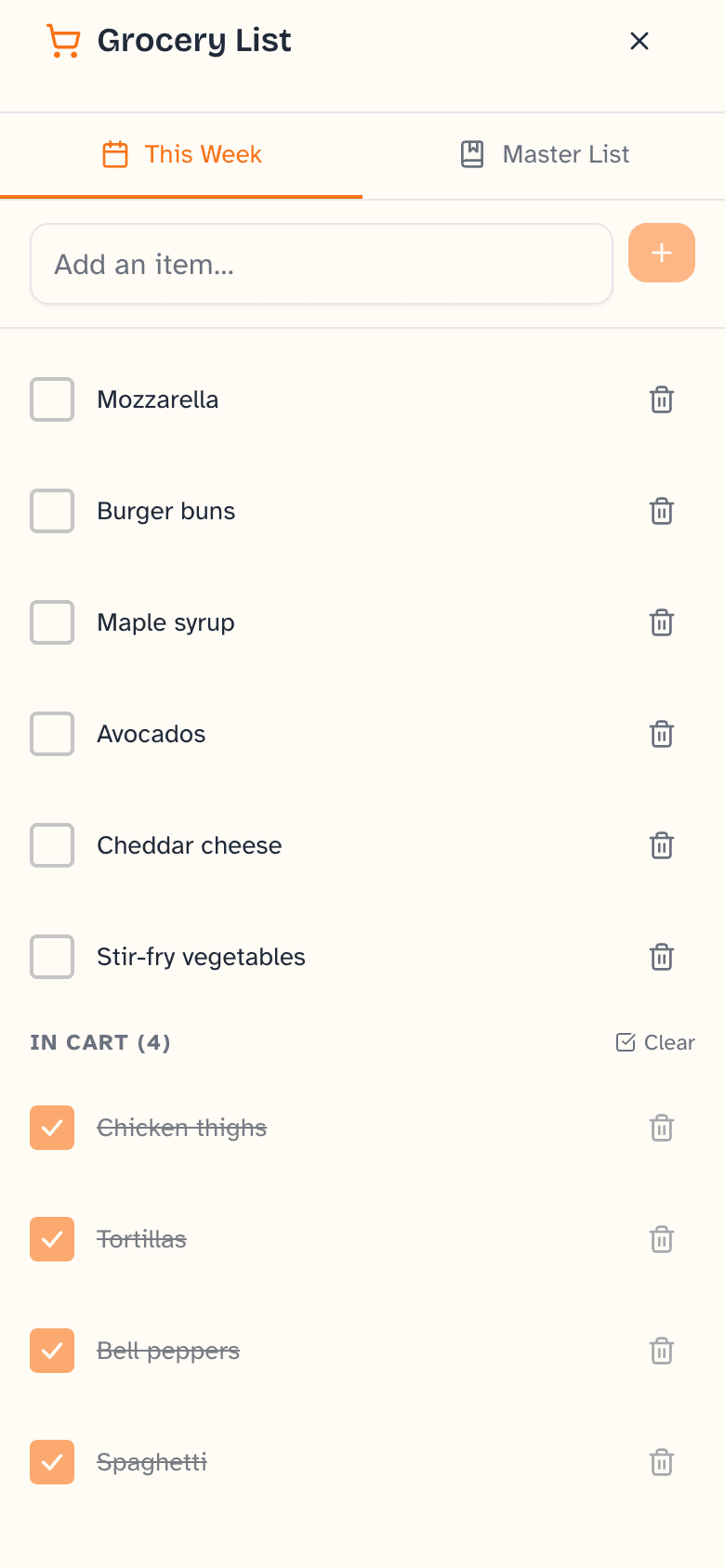
Check items off at the store
Open Daybreak on your phone and tick items as they go in the cart. Checked items drop into an “in cart” group at the bottom, and one button clears them when you're done. Anyone in the family can add to the list from their own device, and it syncs across all of them.
More shared checklists
Next to groceries, Daybreak keeps as many named lists as you want: packing, homework, weekend projects. An item on these lists can be assigned to a family member and can repeat, so a weekly task comes back when it's due again.
From meal plan to list
When you add ingredients to a planned meal you can pick them straight from your master list. If you ask for AI recipe suggestions from ingredients you have, each suggestion shows what's missing and can add those items to this week's list.
Being straight with you
What it doesn't do yet
- Grocery items are plain text. There are no separate quantity fields, no aisles or categories, and no prices.
- Daybreak does not connect to stores, pickup or delivery services.
- Your meal plan does not fill in the grocery list automatically.
Tomorrow morning can start like this.
Daybreak is live. Set it up tonight on the devices you already own — the whole family wakes up on the same page.
No credit card to start. $9.99 CAD/month after your trial — cancel anytime.