A family photo screensaver for the kitchen tablet
When nobody's using the calendar, the screen shows your photos and the time. One tap brings the week back.
Your own photos, cross-fading on the counter
Upload photos from Settings, a few at a time or a batch at once. Daybreak accepts JPEG, PNG, GIF and WebP files up to 20 MB each. The slideshow moves to the next photo every seven seconds with a slow fade. Photos belong to your family, so the ones you upload from your phone show up on the kitchen tablet. A tablet paired as a wall display shows the photos but can't add or remove them.
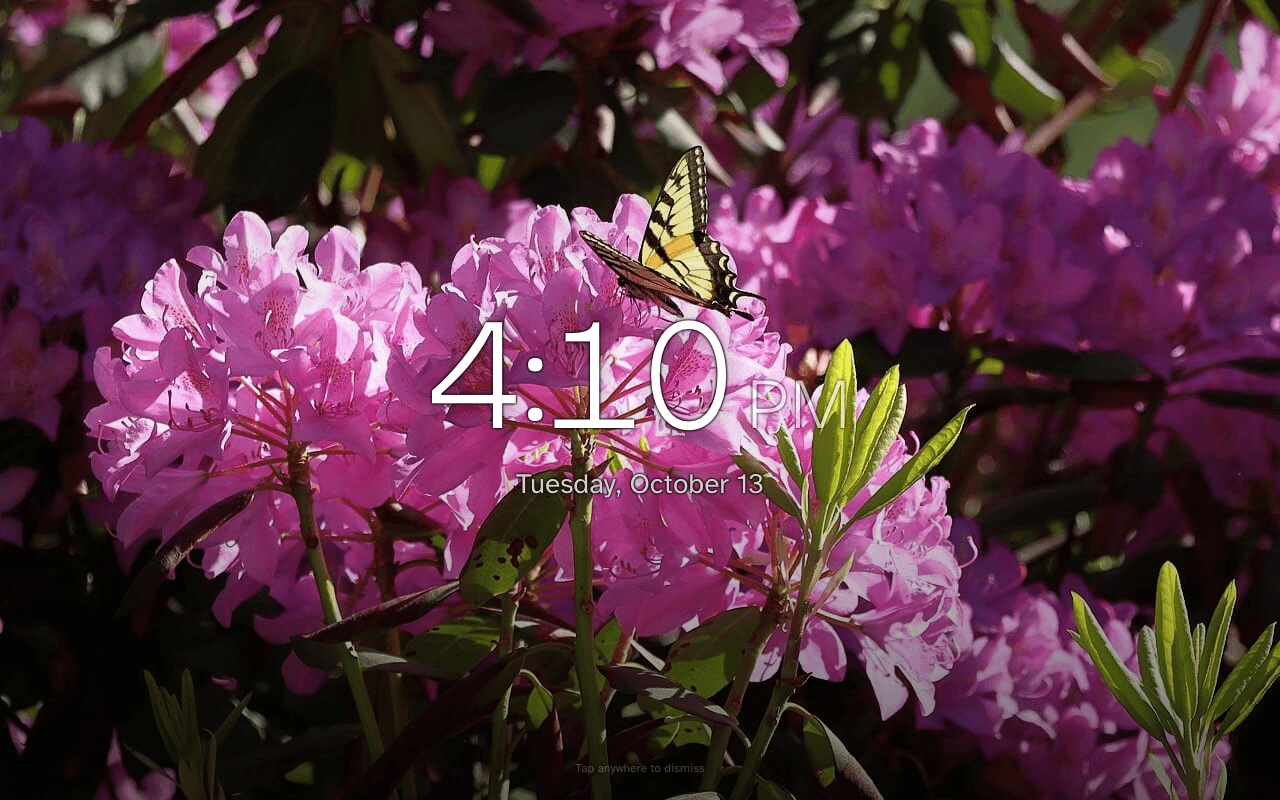
A clock you can read from across the room
The screensaver shows the time in large type with the day and date under it. Put the clock in any of nine positions on the screen so it doesn't sit on top of faces.
It starts when the screen has been idle
Choose how long a device waits before the screensaver starts: 1, 2 or 5 minutes, or never. It is set to never until you change it, and each device has its own setting, so the kitchen tablet can show photos while your phone never does. A button in Settings previews it straight away. A tablet paired as a wall display is offered the screensaver in its one-time setup.
One tap back to this week
Tap anywhere and the screensaver closes and the calendar returns to the current week, whatever week someone was looking at before. If reminders are turned on, a reminder appears full-screen over the photos.
Your photos stay private
Photos are kept in private storage and are only served to devices signed in to your family.
Being straight with you
What it doesn't do yet
- Keeping the screen on depends on the tablet. A tablet paired as a wall display asks the browser to keep the screen awake, which works only where the browser supports it. Anywhere else, the tablet's own auto-lock still turns the screen off and the slideshow stops; change that in the tablet's display settings.
- Daybreak does not sync with Google Photos or iCloud albums. You choose the photos to upload.
- Photos only. Videos aren't supported.
- The screensaver shows photos, the time and the date. It does not show the day's events over the photos.
Tomorrow morning can start like this.
Daybreak is live. Set it up tonight on the devices you already own — the whole family wakes up on the same page.
No credit card to start. $9.99 CAD/month after your trial — cancel anytime.